
Northline Solutions
product image

FiveM - Standalone Security Cam Script

$5.00

Northline Security Cameras (nl-seccams)

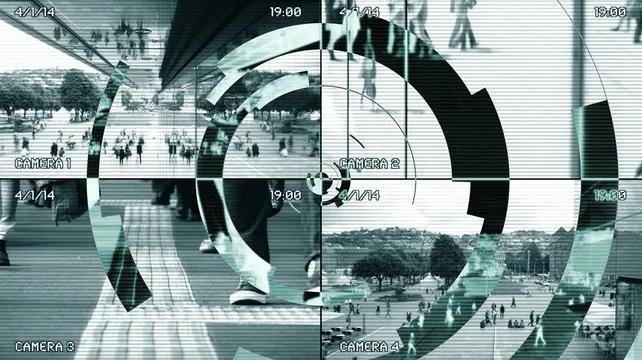
Northline Security Cameras is a realistic security camera system for FiveM servers. Interact with camera access points at banks to view multiple rotatable cameras via an immersive tablet interface. Perfect for police, security jobs, or heist scenarios.

Features

  • 8 Pre-configured Bank Locations: Pacific Standard Bank, Blaine County Savings Bank, and 6 Fleeca Banks with 4-12 cameras each.
  • Interactive Tablet UI: Realistic sitting animation with tablet prop, REC indicator, bank/camera labels.
  • Camera Controls:
    • Arrow keys: Switch between cameras.
    • W/A/S/D: Rotate camera view (pan/tilt).
    • Tab: Exit camera view.
  • Customizable: Debug mode, radar hiding, easy config for new locations/jobs.
  • Optimized: Client-side only, smooth cam transitions, scanline TV effect.
  • Escrow Ready: Config.lua is ignored for easy editing.

Installation

  1. Download the resource.
  2. Place the nl-seccams folder in your resources directory.
  3. Add ensure nl-seccams to your server.cfg.
  4. Restart server or run refresh + start nl-seccams in console.

Configuration

Edit config.lua:

SecurityCamConfig.DebugMode = false  -- Show player coords (debug)
SecurityCamConfig.HideRadar = true   -- Hide minimap in cam view

SecurityCamConfig.Locations = { ... }  -- Array of locations

Adding Locations

Each location needs:

  • camBox: Access point {label, x, y, z}
  • cameras: Array of {label, x, y, z, r={x,y,z}, canRotate=true/false}
  • allowedModels: Job PEDs (empty = all players)

Example:

{
    camBox = {label = 'My Bank', x=100.0, y=200.0, z=30.0},
    cameras = {
        {label = 'Entrance', x=105.0, y=205.0, z=32.0, r={x=-25.0,y=0.0,z=0.0}, canRotate=true}
    },
    allowedModels = {'s_m_y_cop_01'}  -- Police only
}

Usage

  1. Approach a camBox (marked with 3D text: [E] Access Bank Cameras).
  2. Press E to activate (within 1.2 units).
  3. Player sits with tablet, enters camera view.
  4. Use Left/Right arrows to switch cameras.
  5. W/A/S/D to rotate (if enabled).
  6. Tab to exit.

Pre-configured Locations (coords for teleport testing)

Bank CamBox Coords
Pacific Standard 283.67, 264.41, 105.80
Blaine County Savings -116.84, 6479.87, 31.45
Fleeca - Alta 322.03, -305.47, 52.64
Fleeca - Great Ocean -2955.74, 473.10, 15.46
Fleeca - Rockford Hills -1201.43, -338.50, 38.08
Fleeca - Pillbox Hill 146.17, -1058.67, 30.18
Fleeca - Burton -344.72, -79.18, 45.66
Fleeca - Route 68 1157.81, 2708.84, 37.98

Support

  • Discord: discord
  • Author: Northline Solutions
  • Version: 1.0.0

Enjoy monitoring those criminals! 🔍

Credits

Northline Solutions


Community Reviews

See what others have to say about our services!


Gallery


Northline Solutions

Welcome to Northline Solutions! Founded in March 2023, We are excited to bring some basic but yet unique FiveM scripts, And discord bots! What do we offer? I am currently making 100% standalone assets/scripts so all servers can enjoy! We currently have ⁠PerkoReports, Comserv, Sec Cams and have more releases coming out soon! What can you expect? We will constantly push updates to our scripts (even without suggestions) and have some exciting ideas planned for the future! Hope you're ready to tag along!

Copyright © 2026 Northline Solutions - All rights reserved.

Useful Links

Gift Cards

Our Discord

FAQs